Denticon can be setup so that all office computers may open your x-ray software through the bridge icon.
The important piece for a bridge to operate smoothly is to ensure the office is using only one database for patient information, which is the Denticon practice management software. Denticon will be the primary holder of patient records.
Denticon must be setup to setup the bridge to your imaging software. Once setup, Denticon will be the primary software, from which the imaging software may be launched in order to capture and access patient X-rays.
To enable the bridge in Denticon, which places a black/white tooth icon in the icon toolbar:
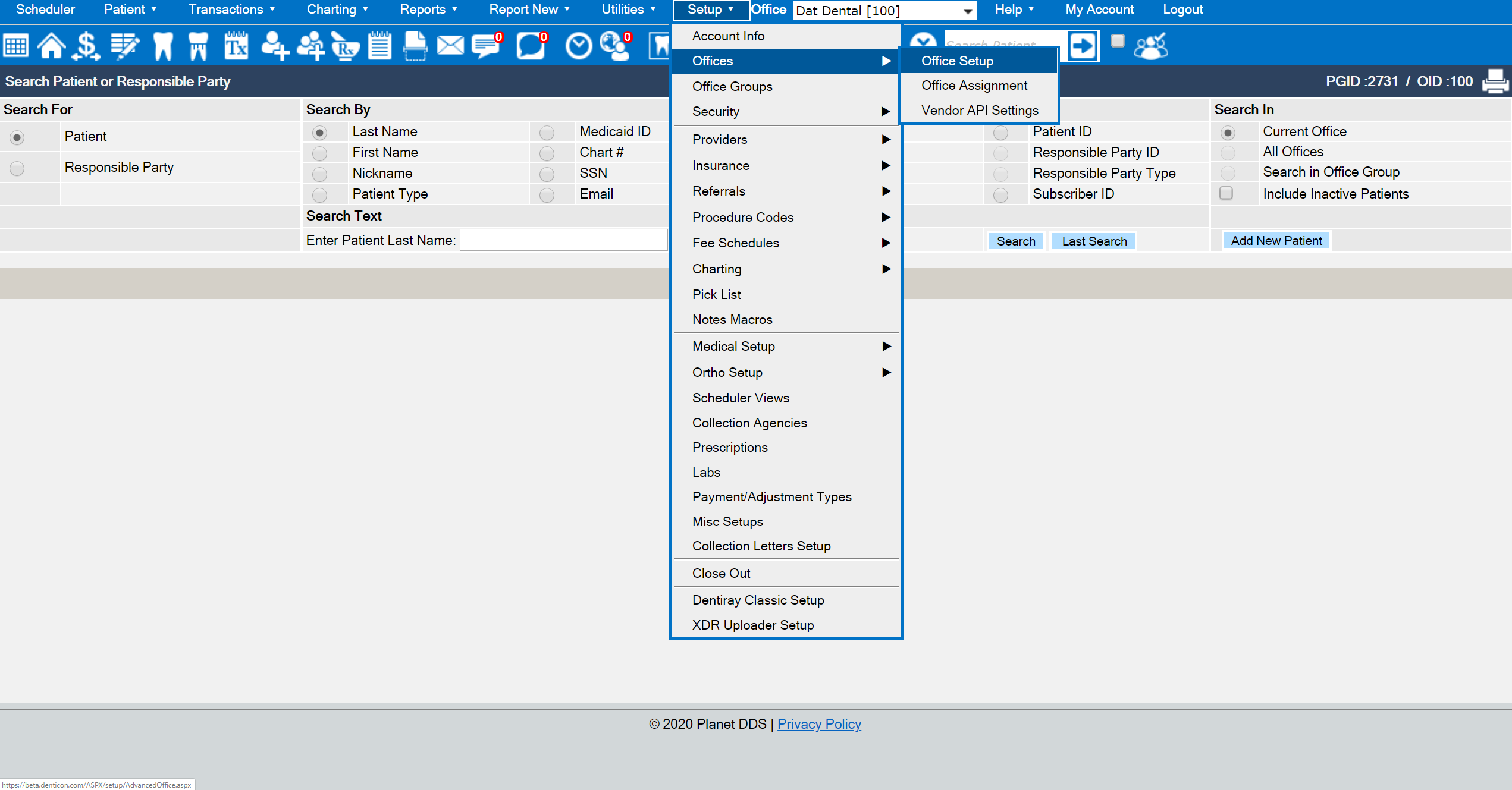
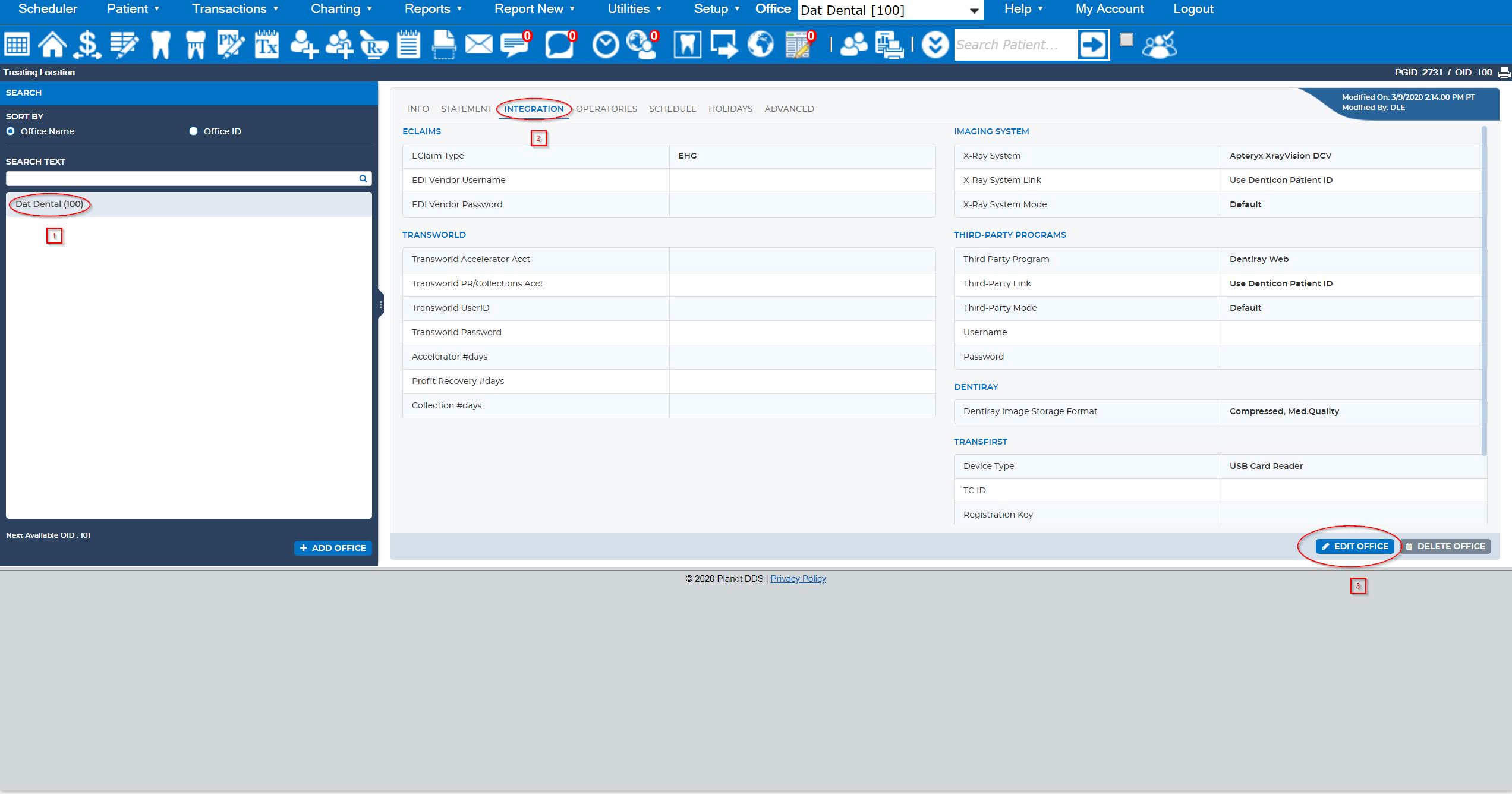
· Click the word “Setup” and the “Offices” option from the drop-down list setup
· Click the Edit Office button
· Choose the Setup tab
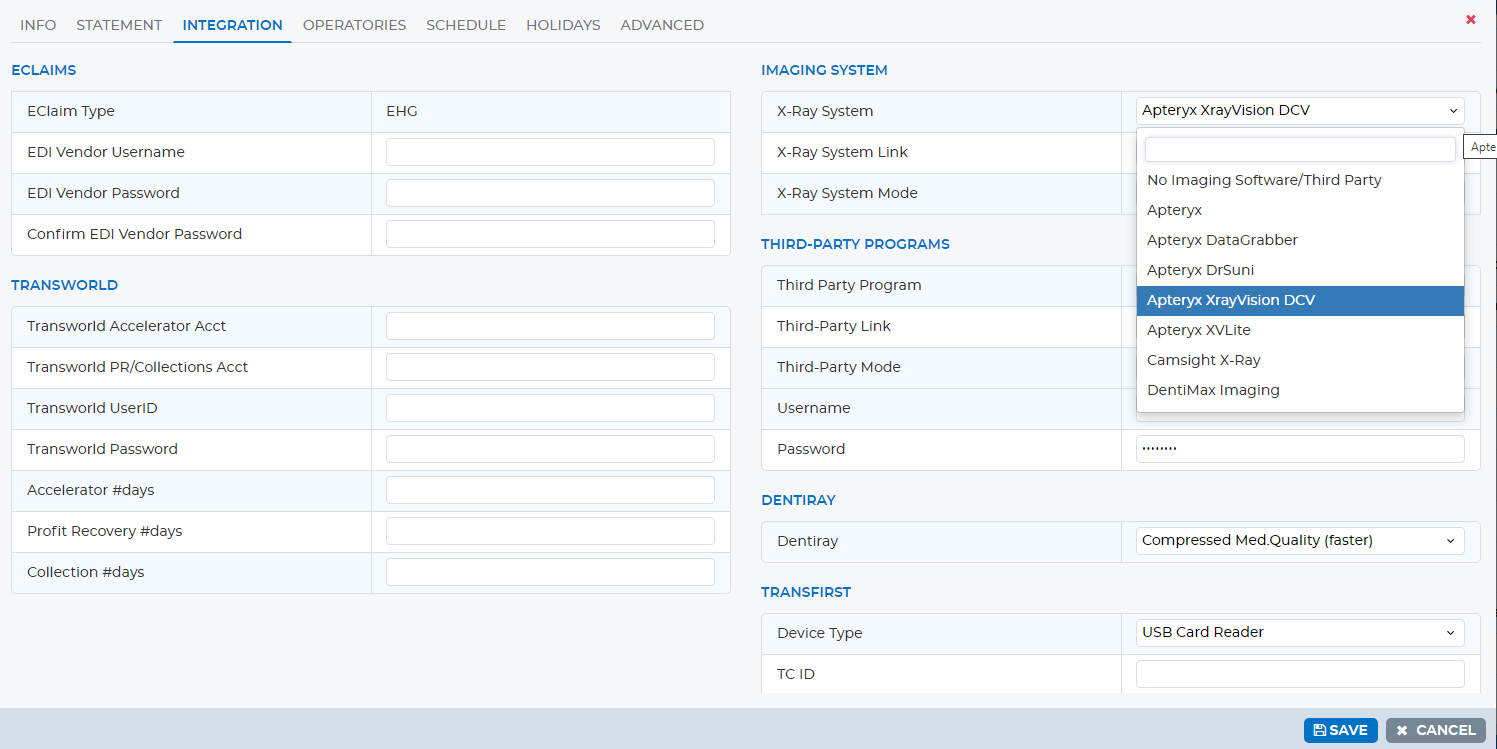
· Select the office’s imaging operating system in the “X-Ray System” field
· Click the Save button
To acquire or view patient images:
· Access the patient record
· Click the tooth icon which opens your imaging software
When finished acquiring or viewing a patient’s images, close the imaging software program. Failure to close the imaging software may cause unexpected patient retrieval in the imaging software. Failure to close the imaging software may cause patient images to be recorded for a different patient.