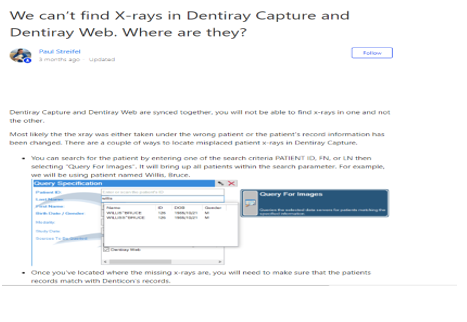
There are several reasons why this could happen. Let us review a few of the basics to see if we can resolve this without needing to stop and make that phone call. You’ll want to start on the computer where the images were taken.
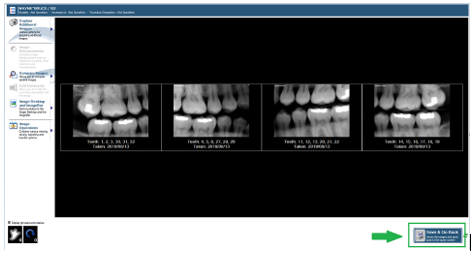
- Images have not yet been forwarded to Dentiray Web – After finish capturing Images you must select “Save and Go Back” for the images to be forwarded to Dentiray Capture. If you have just captured the exam and are viewing them in the operatory before you select “Save and Go Back” your images have not yet reached Dentiray Web. Please select Save and Go back to forward the images onto Dentiray Web.
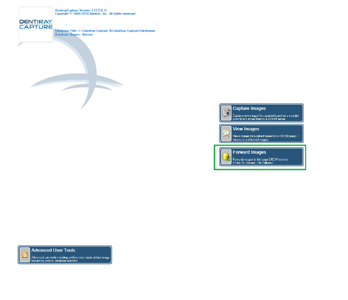
- Forward Images Queue -The images were saved but did not forward yet. Sometimes staff are in a hurry to take their next x-rays and cancel the forwarding process or there is no internet connection available. This can result in the images being sent to the Forward Queue without them actually being forwarded. We can check for this by opening Dentiray Capture to the Main Menu and observing the Forward Images button. If there are x number of images to be forwarded, simply click on the Forward Images button to send those x-rays on.
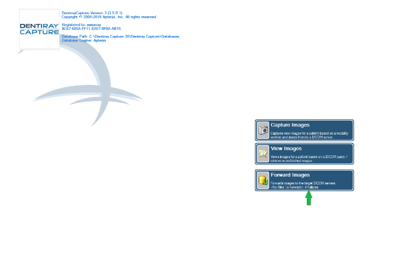
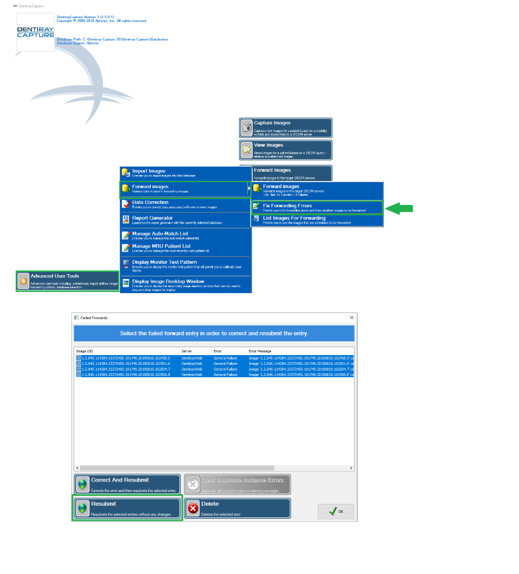
- Forwarding Errors – If your internet connection fails during the internet process and the images cannot get through to the server, they will be added to the Forwarding Errors Queue. This is can also be checked for by opening Dentiray Capture to the Main Menu and observing the Forward Images button. If you see X number of Failures, you will need to resubmit those images for forwarding. You can select Advanced User Tools>Forward Images>Fix Forwarding Errors. Multi- select all of the files that appear here and select Resubmit. This will add your images back to the Forward Queue. Clicking on Forward Images will then attempt to forward those images on to Dentiray Web.
- A Patient was “moved” within Denticon – Using the move patient feature does not actually move the patient record. It inactivates the old record and creates a new record. This causes the Patient ID for the patient to be recreated as well. For instructions on how to update the patient ID in Dentiray Capture to correct the bridging of the patient to their historical images, please review We can’t find X-rays in Dentiray Capture and Dentiray Web. Where are they?