
We have observed that, in cases where Dentiray Web users are seeing the same patient name when searching, the User Options in Dentiray Web have been altered, typically with the subject of the query appearing in the Name Format field.
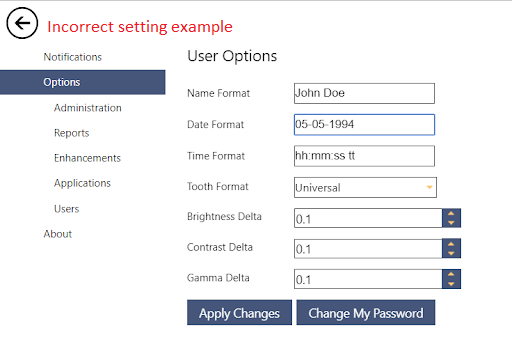
For example: You have a query for patient name "Smith, Jane." When you search for this person, the result is "Doe, John." When you try to query patient last name "Johnson, Harry", the result remains "Doe, John."
To remedy:
1) Open Dentiray Web from Utilities --> Launch --> Dentiray Web.
2) Sign into Dentiray Web if you have not done so already.
3) Click "Utilities" in the top right corner.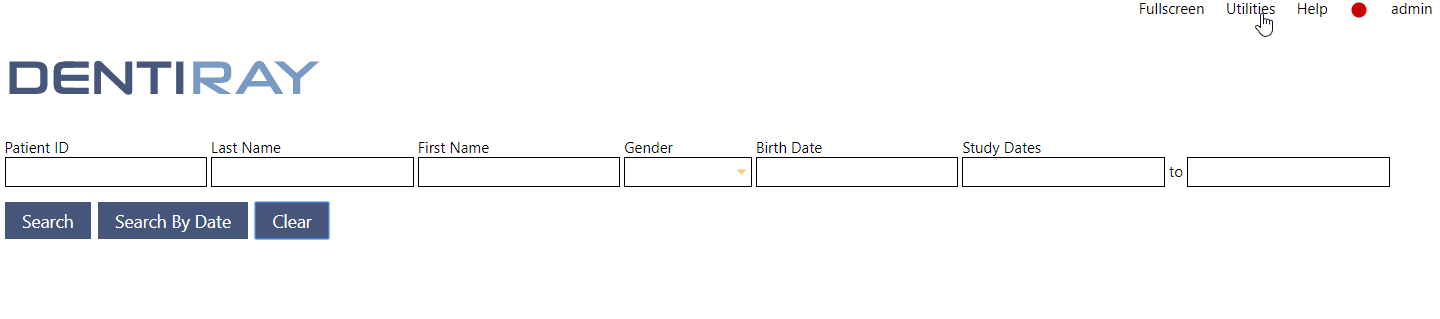
4) From the left, please select "Options."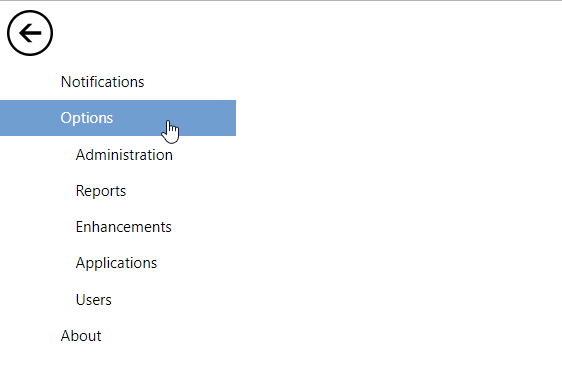
5) Review and compare this image to your settings. The list of User Options below are the standard defaults for Dentiray Web.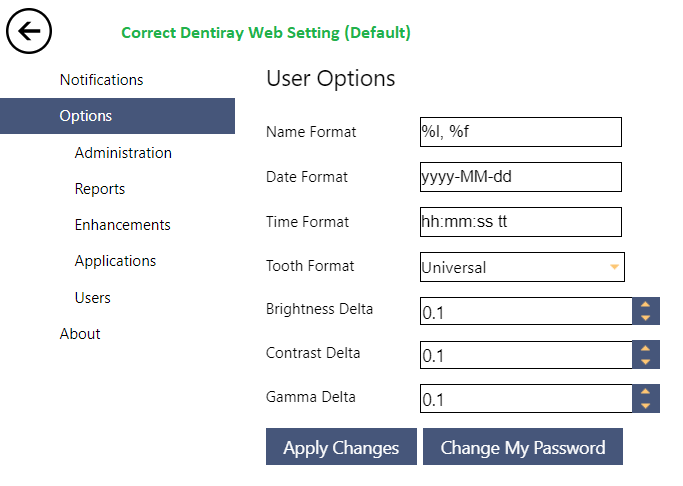
6) Once you have updated the values, please click "Apply Changes".
7) Click the left arrow to return to the Query screen, and try your query again.