
To understand the number of Apteryx Xray Vision® DCV licenses within an office location:
- Launch Dentiray Capture aka XrayVision DCV
- Select "Advance User Tools"
- Select "Preferences"
- Password is "AKRON"
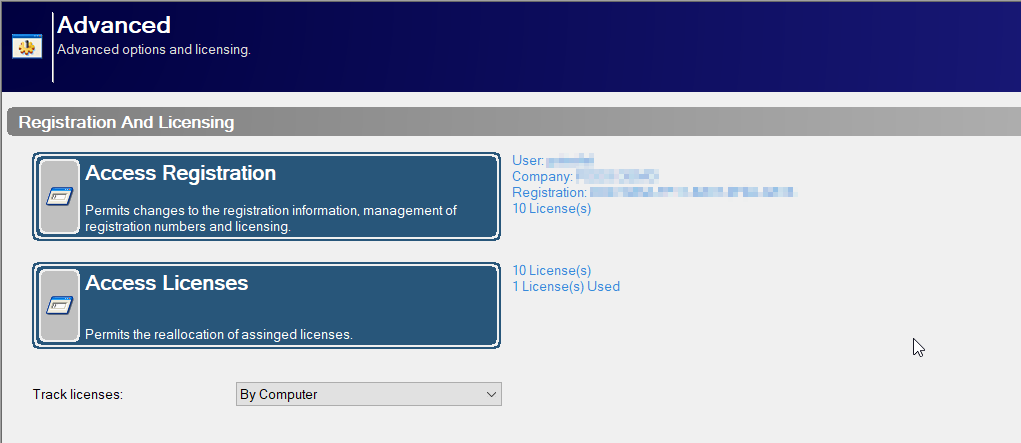
- Select "Advanced" on the left comlumn
- Under Registration AND Licensing you will be able to see your license count.
Please note: if you are a mobile office, your machines may have unique registration keys that do not show the total number of licenses within your office or practice. For this, you will need to determine how many physical licensed machines you have.