To operate without constraints, Denticon must control the browser without any of the tabs or tool bars.
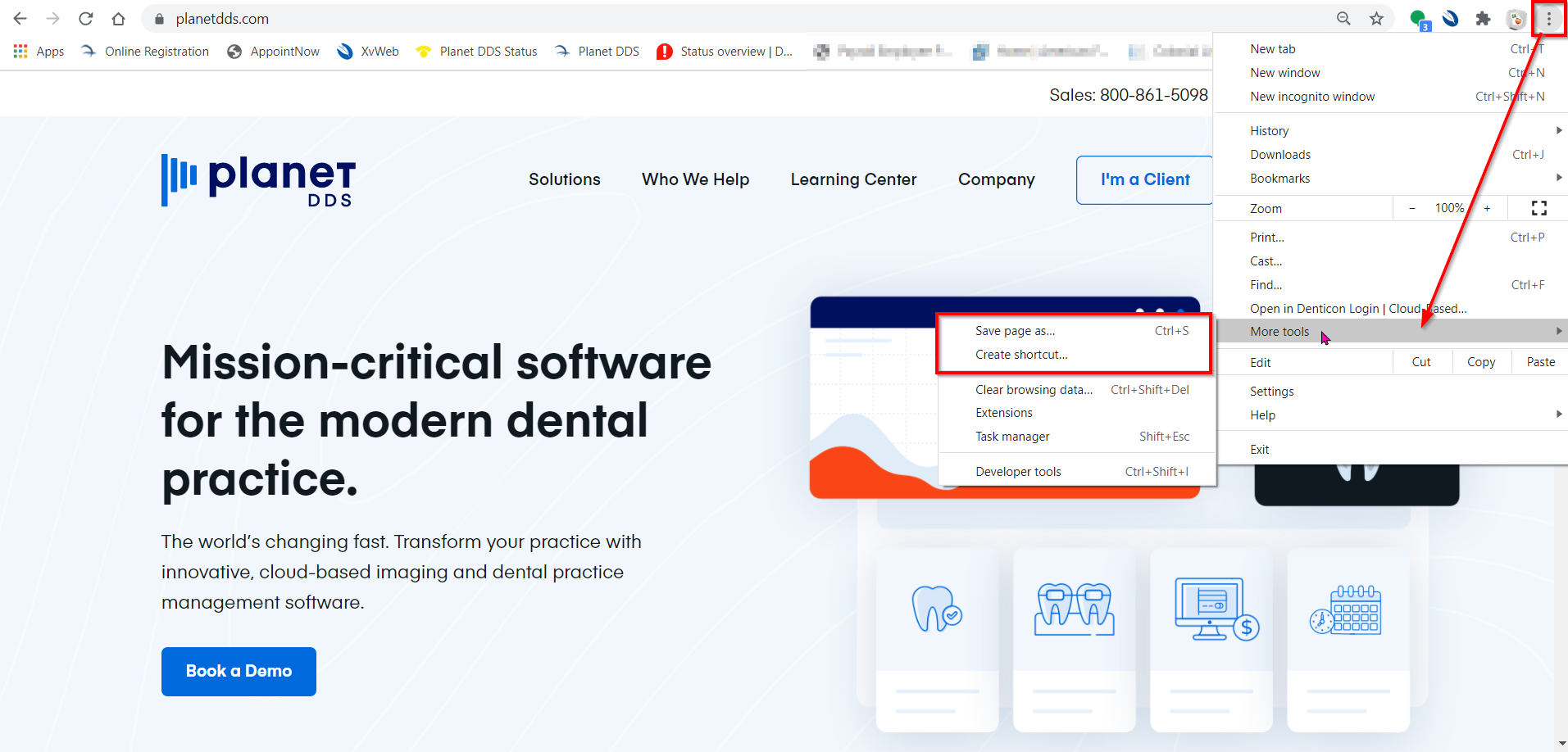
To make a desktop shortcut to the planetdds.com site:
o From the Chrome click .
o Select “Create Shortcut”
o A popup will appear, asking confirmation to set a desktop shortcut. Click the “Yes” button.
The denticon.com login screen should not have toolbars at the top of the screen.
The denticon program windows should not have toolbars at the top of the screen.